
Author: Admin
-

Watch 18+ YouTube Videos Without Signing In
To watch 18+ YouTube videos users have to login on YouTube. Without Sign in YouTube doesn’t allow to play it. But using this tricks users can easily play any 18+ YouTube video. 1. First get the URL of video you want to watch on YouTube. As shown below.http://www.youtube.com/watch?v=HOnnKXV9aFU 2. Then copy the Video Id. For…
-

Check your Antivirus Software works correct or not
Testing Antivirus Software You can verify that Antivirus works properly with the help of a special test file, known as EICAR Standard Anti-virus Test file (EICAR stands for the European Institute of Computer Anti-virus Research). This is a dummy file, which is detected by any other anti-virus products. No need to worry, because this file…
-

How to add Animated Flying Twitter Bird in Website
We can add an Twitter Bird which will fly on across your site or blog when user will access them. Follow these steps to add it on your Website/Blog. 1. Go to Blogger Dashboard > Design > Edit Html.2. Now Search for </body> tag and Paste the Below Code Above it.3. Save Your Template. Now…
-
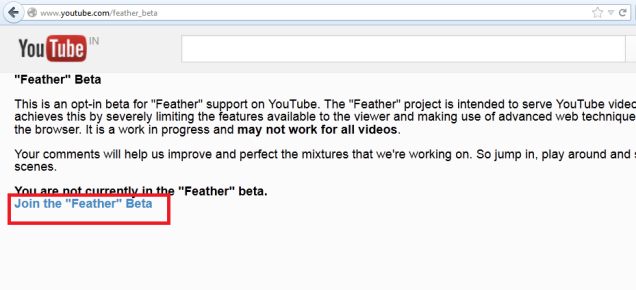
Watch YouTube video with fast buffering
YouTube is the largest video sharing website. Currently it consists millions of videos. While watching YouTube videos, the most common problem is slow buffering. If u are having a low band width internet connection you will face this irritation. You can speedup video buffering with YouTube feather beta. This helps you to load YouTube video…
-
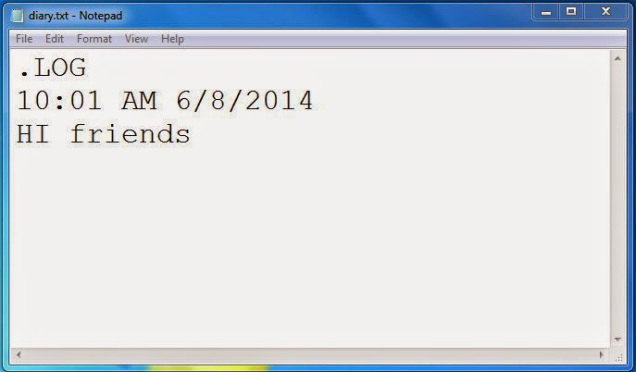
Make Your Personal Diary Using Notepad
Here you will learn how to use notepad as Personal Diary or a Digital log book to keep record of your daily work instead of using pen and paper. To create your own personal diary follow these steps. 1. Open Notepad application on your computer and Type .LOG (in capital Letters) and press enter. 2.…
-

Download and Save YouTube Videos using VLC
YouTube Videos can be download and save using VLC Player on Computer. Its a cool trick to get YouTube videos direct save on your Computer. To download videos follow these steps: 1. First grab the URL of the YouTube video page. Open YouTube site and select your favorite video then copy URL from browser’s address…
-

How to download Facebook Videos?
Here we are showing a simple trick to save any public Facebook videos directly to your computer. Its very simple trick to save any publicly available Facebook videos on your device. 1. First login to your Facebook account in any Web browser. Now open the Facebook video you want to download in your device. 2.…