
Windows Terminal Preview 1.5 arrived in November 2020. Its announcement covered changes to links, profile appearance and navigation. This page describes that release, not the current Terminal feature set.
What Preview 1.5 added#
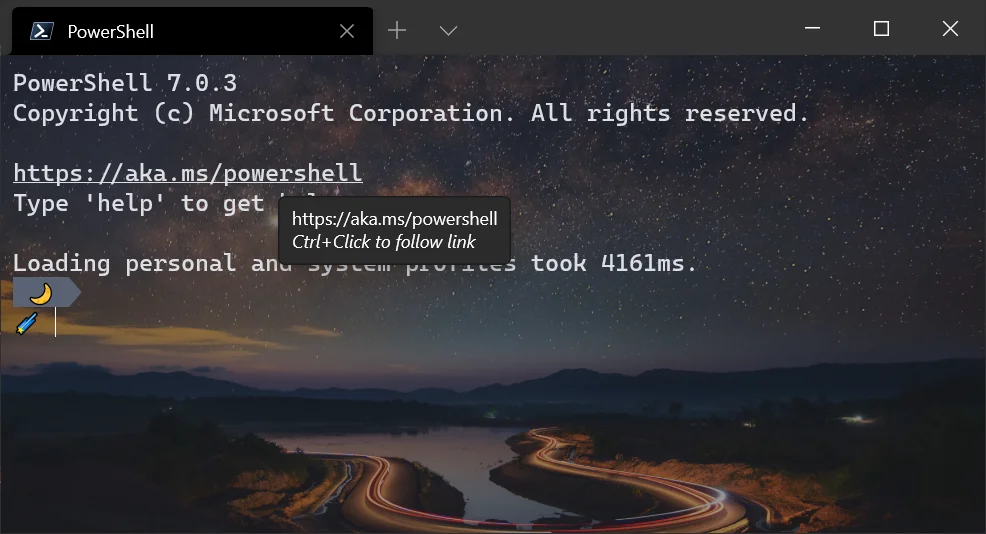
The preview improved automatic hyperlink detection, allowing links to open with Ctrl+Click. It also introduced audible-bell controls and profile icon support using emoji. Command-palette and tab-navigation improvements were part of the same period of development.
Microsoft's Preview 1.5 announcement distinguishes the preview release from the stable version available at the time. That distinction matters when comparing an old setting with a screenshot from another channel.
Use release notes to explain differences#
When maintaining a Terminal configuration, check the version and the documentation for that release before copying a key from an old blog post. A preview feature may change before reaching the stable channel.
For an everyday command-line reference rather than product history, use the Git cheat sheet or the Windows folder-drive guide.