
Microsoft has released Windows Terminal Preview version 1.5, with lots of changes including New features and bug fixes. This preview is available to users to test new features.
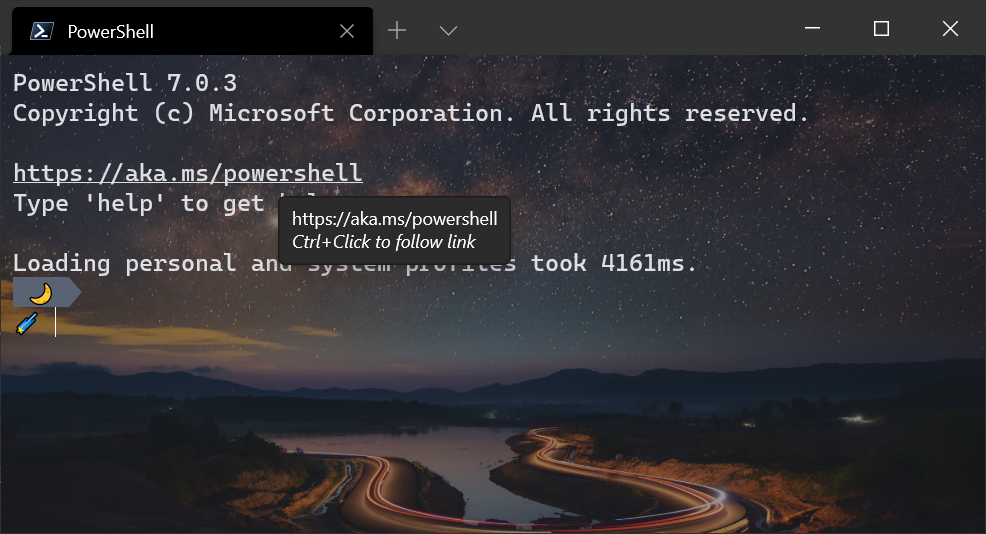
First of all is “Full hyperlink support”, A new way to automatically detect hyperlinks in commands and turn them into clickable and open content in system’s default browser using Ctrl + Click.
In addition, Microsoft has added support for Audible bell character. User’s can enable or disable this feature in profile setting.
Microsoft has also added support for Profile icon emoji where user can set profile icon as an emoji.
Tab switcher order are also added in setting. User can specify “mru” or “inOrder”, which will enable the tab switcher with most recent or order of layout in terminal.
A new option has been added in the setting for background image to set custom image as terminal background.
New launch modes have been added to the setting where user can specify the terminal to launch in focused mode or maximized focus mode. Both focus mode hides the tabs and title bar.
User can also disable animations for improve performance using “disableAnimations” global setting.
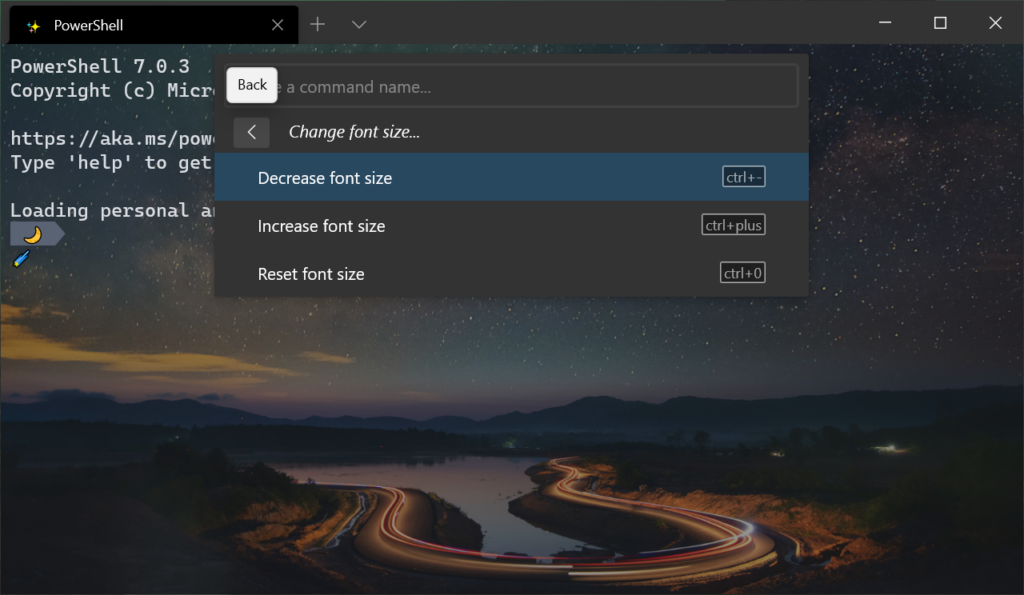
Windows Terminal 1.5 brings a new Command palette improvements which allowing users to run command line arguments. New Back button to go back to the root menu without having exit the command palette.
New searching feature to show matching results in bold way to make them highlighted. Also users can rename tabs with custom text to remember them. also users have a new action to expand a pane to fit the entire contents of the terminal window.
This release also have following bug fixes:-
- The terminal is much faster when launching, opening tabs, and closing tabs when you have a lot of profiles.
- Clicking links inside the terminal will no longer hang.
- The jump list will now display icons that use forward slashes in their file paths.
- Failure to write to your settings file will now display a warning.
- When using a screen reader, it is much faster when moving to the next word.
To download Windows Terminal click here.
Leave a Reply